
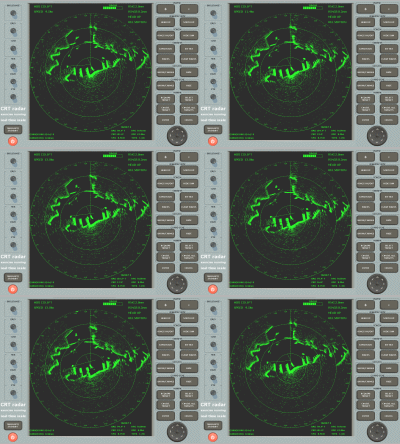
Version: 4.0102
Developer: http://www.lightmaster.co.uk/
Platform: PC (Windows)
Compatibility with Windows7: yes
System Requirements: System Requirements :PC running Windows 95, 98, ME, 2000, XP.Graphics capable of SVGA (800 x 600 dots) at better than 256 colours.4 Mb Hard disk space.8 Mb RAM.Sound Card optional (for Guard Zone Alarm).CD Drive for installation. Diskette and Win 3.1 versions available on request.
Localization: english
Crack: serial number
Description: Practice navigation and collision avoidance in the safety and comfort of your own home
Radar can be the most valuable navigational aid on any craft, but only if the crew are experienced in setting it up to produce the best display, then interpreting that information correctly.
The LightMaster Radar Trainer provides highly realistic practice in set-up, collision avoidance and coastal navigation, using your PC. Recommended by the RYA and central to the teaching of their radar courses.
A series of Exercises can be loaded to set all the conditions of chart area, initial position, course and speed, other traffic, sea state, wind and rain. A very easy visual programming system allows you to create any scenario you would like to try, so there are no limits to your learning with this excellent training and practice aid.
INSTALLATION
1. Download the Files
Download the program files from our Google Drive
Make sure all files are fully downloaded
2. Run the Installer
Open the downloaded or extracted folder
Double‑click the Setup file
Click Yes if a security or User Account Control prompt appears
3. Follow the Setup Steps
Click Next or Install Radar
Accept the license agreement
Use the default installation settings unless instructed otherwise
4. Complete the Installation
Wait for the installation to finish
Click Finish when done
5. Open the Program
Use the Desktop shortcut or search the program in the Start Menu
6. Software Registration
In the installation folder open the cd key txt file and copy the key
Input any Name and Organization and click Done
✅ Installation complete. The program is now ready to use.


0 Comments